Fust Survival Controls and Settings
Keybinds, craft and map shortcuts, and clarity settings that win more peeks.
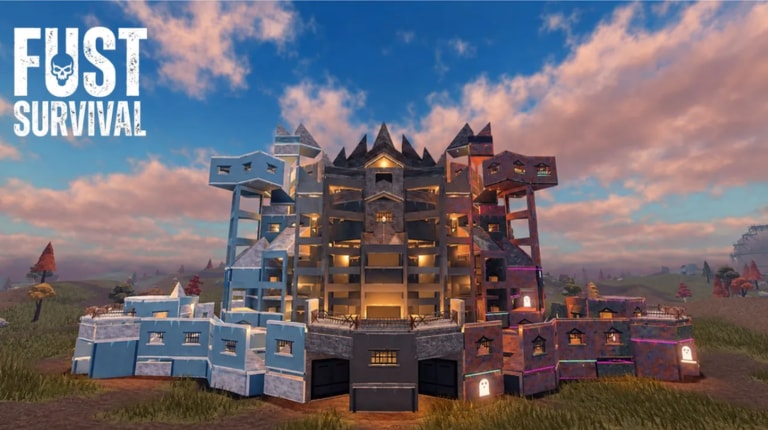
Fust Survival plays like a condensed survival shooter on Roblox: swing nodes, open craft, claim with a Tool Cupboard, then fight over monuments until Friday wipe. Bad binds waste the STARTER GOALS hour. This page lists the core controls, how the gear menu ties into codes, and settings tweaks — FOV, muzzle flash, and quality — that make farms and raids readable. Use it beside Getting Started on day one.
Core keybinds
| Action | Default / note |
|---|---|
| Move | WASD |
| Look / aim | Mouse |
| Swing tool / gather / attack | LMB |
| Open crafting | Q |
| Open map | M |
| Jump | Space |
| Sprint | Shift (if enabled in your Roblox shift-lock setup) |
| Interact / doors / deployables | Standard Roblox interact / prompt key |
| Settings, codes, options | Gear icon in the UI |
Exact secondary binds can vary with Roblox device profiles (keyboard, touch, controller). Rebind anything you misclick under the gear menu before you invest in a long sulphur run.
Crafting with Q
Press Q to open crafting. You will bounce between:
- TOOLS — Stone Pickaxe and gather upgrades
- DEPLOYABLES — Building Plan pieces, Tool Cupboard, Sleeping Bag, Furnace, Workbench
- EXPLOSIVES — Gun Powder products for raids
Early recipes show under NO WORKBENCH. After you place Workbench 1, stronger crafts unlock. Full costs sit in Crafting and Resources. Keep the craft key reachable; burying Q under awkward finger stretches slows every wipe.
Map with M
M opens the world map. Mark your base, Outpost, and target monuments before you leave the airlock. Zoom habits and monument roles are covered in Map and Monuments. Close the map before door peeks so you are not mid-UI when a camper swings.
Gear icon — settings and codes
The gear icon opens settings and the ENTER CODE box. Codes are case-sensitive: type the code, hit REDEEM, and confirm Weapon Crates land on the account. Active lists and steps live on Codes and How to Redeem. Redeem before a long offline stretch so you are not fiddling menus mid-raid night.
Game pass purchases and VIP queue perks are summarized under Game Passes if you use Robux helpers.
FOV and visual clarity
Raise FOV within comfortable limits so peripheral motion — roof campers, ladder peeks, node thieves — shows earlier. Too high can fish-eye your aim; find a middle ground in a safe Outpost session before oil rig.
Reduce distractions that hide enemies:
- Lower or soften muzzle flash intensity if the option exists so your own spray does not blind you in airlocks
- Cap particle clutter and shadows if frames drop near monuments
- Keep UI scale readable so STARTER GOALS and HP bars never get clipped
Stable FPS beats max cosmetics when you are holding a door. Roblox graphics quality can drop a tier during contested airfield fights, then rise again for scenic farm loops.
Combat and gather hygiene
- Hotbar Bandages next to your gather tool and primary gun
- Practice LMB swing timing on trees until Cloth and Wood feel automatic
- Do not open Q while standing in open tarmac — craft inside the claim
- When raiding, pre-aim softsides before you plant; binds will not save bad pathing — see How to Raid
- Building Plan placement is easier with steady mouse sens; lower sens for foundation lines, raise slightly for tracking peeks
Device notes
Keyboard / mouse remains the clearest for building airlocks and tracking dome peeks. Touch players should enlarge critical buttons and consider shift-lock style camera helpers where available. Controller users should confirm interact and craft buttons before wipe night so Tool Cupboard deploy is not a menu hunt.
Settings checklist before you farm
- Confirm LMB gather and Q craft feel natural
- Test M map open/close without freezing movement longer than needed
- Set FOV and muzzle flash for visibility
- Redeem codes via gear icon
- Place a Sleeping Bag bind/muscle memory path after deaths — bag setup is in How to Build a Base
- Skim Friday Wipe timing so you know when progress resets
Solos benefit from clean binds more than clans because every second in a menu is a second without a teammate covering. More lifestyle advice sits in Solo Tips. Return to the Guides Hub when controls feel invisible and you can focus on sulphur math instead of hunting the craft key.
Frequently Asked Questions
Quick answers to the most common Fust Survival questions.
What key opens crafting?
Press Q to open the craft menu for TOOLS, DEPLOYABLES, and EXPLOSIVES.
How do I open the map?
Press M. Mark your base and monuments before long farm runs.
Where do I redeem codes?
Open the gear icon, find the ENTER CODE box, type the case-sensitive code, and press REDEEM.
Why change FOV or muzzle flash?
Higher comfortable FOV reveals flankers earlier. Lower muzzle flash keeps your own spray from washing out peeks in tight airlocks.
Do controls differ on Modded servers?
Binds stay the same. Pace changes — farms and enemy gear move faster — so clean menus matter even more.